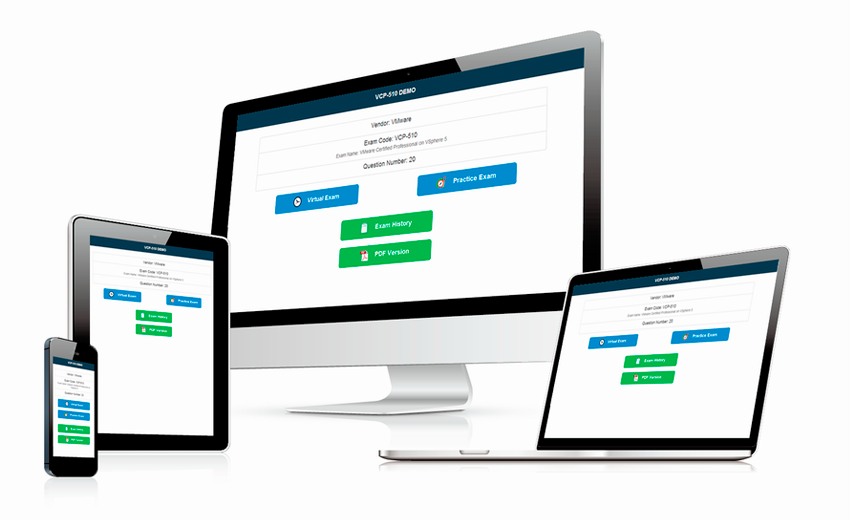
Free Demo


About Microsoft MB-820 Exam Braindumps
A confident product invites inspection. That is why ExamsTorrent offers a free demo of its Microsoft Dynamics 365 Business Central Developer materials: 130 practice questions with verified answers stand behind it, and the sample lets you verify the quality personally, at any time, at no cost.
Microsoft MB-820 Exam Syllabus Topics:
| Section | Weight | Objectives |
|---|---|---|
| Topic 1: Install, develop, and deploy for Business Central | 10–15% | - Manage extensions
|
| Topic 2: Integrate Business Central with other applications | 10–15% | - External data connections - Authentication and security for integration - Use APIs and web services - Power Platform integration |
| Topic 3: Develop by using AL objects | 35–40% | - Codeunits and procedures
- Create pages and reports
|
| Topic 4: Describe Business Central | 10–15% | - Describe Business Central architecture - Describe update lifecycle for customizations - Describe solution and extension approach - Describe Business Central apps
- Differentiate online and on-premises features |
| Topic 5: Develop by using AL | 15–20% | - Security and permissions - Performance optimization - Data manipulation and validation - Error handling and logging - AL syntax and programming concepts |
| Topic 6: Work with development tools | 10–15% | - Telemetry and diagnostics - AL Language extension - Visual Studio Code for AL development - Source control integration |
MB-820 Exam: Frequently Asked Questions
Microsoft lists these recommended training resources for the Microsoft Dynamics 365 Business Central Developer exam:
Official training plus consistent self-testing is a proven combination — the 130 practice questions from ExamsTorrent handle the second half.
ExamsTorrent issues a full refund if you take the Microsoft Dynamics 365 Business Central Developer exam within 60 days of purchase and do not pass. The policy does not apply if the exam is taken within 3 days of purchase, if the exam was never actually taken, or to free materials or expired orders, and the candidate name must match the payer name. Claims require a scan of your enrollment slip and the official Score Report PDF, submitted within 2 days of the exam, and are processed within 7 days. As an alternative, you can exchange for two free exam products of equal value while keeping your original update service. Orders arrive by email within 1 minute — contact support if nothing shows up within 2 hours.
The Microsoft Dynamics 365 Business Central Developer exam presents 40–60 with 90 minutes to complete them. Practicing under the same clock in the ExamsTorrent Desktop Test Engine makes the real pacing feel routine.
Online proctored or onsite testing center Registration for the Microsoft Dynamics 365 Business Central Developer exam goes through these official channels:
After booking, the ExamsTorrent practice questions reach your inbox within 1 minute — preparation can start the same day.
The official Microsoft Dynamics 365 Business Central Developer outline defines 6 domains. The leading three are Develop by using AL objects (35–40%), Develop by using AL (15–20%), and Describe Business Central (10–15%). See the complete list in the topics section above — the 130 practice questions at ExamsTorrent cover every domain.
The MB-820 exam is a Microsoft certification exam built on the Microsoft Dynamics 365 Business Central Developer syllabus shown above. As information technology keeps reshaping how industries operate, certified skills remain one of the most portable proofs of capability in 2026. ExamsTorrent prepares you with 130 practice questions in PDF, Desktop Test Engine, and Online Test Engine formats.
Passing the Microsoft Dynamics 365 Business Central Developer exam requires 700 (on a scale of 1–1000), and the registration fee is $165 USD. A retake costs the same amount again — a practical reason to verify your readiness with the ExamsTorrent engines before booking.
The full Microsoft Dynamics 365 Business Central Developer preparation set at an affordable, small-profits price: 130 practice questions in three formats — a printable, expert-prepared PDF with instant download; a Desktop Test Engine for Windows that simulates the real exam with two practice modes and works offline; and an Online Test Engine for any browser on Windows, Mac, Android, and iOS with test history and performance review. A free demo is available anytime, updates are free for 365 days, renewal afterward is 50% off, installations are unlimited, and checkout is McAfee-secured with automatic encryption of your personal information.
Recommended: 1–2 years experience developing Business Central solutions, familiarity with AL language, Visual Studio Code, and development lifecycle Policies change over time, so confirm the current rules on the official Microsoft exam page before scheduling.
Microsoft Dynamics 365 Business Central Developer Sample Questions:
You need to call the Issue API action from the mobile application.
Which action should you use?
- A. POST/issues (88122e0e-5796-ec11-bb87-000d3a392eb5yMicrosoit.NAV.copy
- B. POST /issues (88122e0e-5796-ec11 -bb87-000d3a392eb5)/copy
- C. POST /issues (88122e0e-5796-ec11 -bb87-000d3a392eb5)/Copy
- D. POST/issues(88122e0e-5796-ec11-bb87-000d3a392eb5)/MicrosoftNAV.Copy
- E. PATCH /issues {88122 eOe-5796-ed 1 -bb87-000d3a392eb5)/Mkrosotl.NAV.Copy
Correct Answer: A 🗳️
You create a codeunit that works with a table named Boxes. You plan to filter the records and then modify them.
You get an error that you do not have permission to work with the Boxes table.
You need to assign the Indirect permissions for the Boxes table to the codeunit.
Which four code blocks should you use in sequence to assign the correct permission? To answer, move the appropriate code blocks from the list of code blocks to the answer area and arrange them in the correct order.
Correct Answer:

Explanation:
A company is setting up a custom telemetry trace signal to send traces on failed customer statement emails.
For each of the following statements, select Yes if the statement is true. Otherwise, select No.
Correct Answer:

Explanation:
* The telemetry trace sends custom signals to an Application Insights resource specified in the extension ' s app.json file and on the tenant. = YES
* Dictionary keys for the extension name and version must be specified to identify the extension during analysis. = YES
* The telemetry trace sends events to Application Insights resources set up on the tenant. = YES Telemetry in Business Central allows developers to collect custom telemetry for extensions using Application Insights. The telemetry trace is used to send custom signals to an Application Insights resource. This resource is typically specified in the app.json file of the extension and must be configured on the tenant where the extension is installed.
The use of dictionary keys for the extension name and version is a best practice to identify the extension during analysis in Application Insights. These keys can be added to the telemetry trace to ensure that when the data is collected, it ' s clear which extension the data is associated with.
Finally, it is correct that the telemetry trace sends events to Application Insights resources that are set up on the tenant, enabling the collection and analysis of telemetry at the tenant level.
You need to evaluate the version values of the Quality Control extension to decide how the quality department must update it.
Which two values can you obtain in the evaluation? Each correct answer presents part of the solution. Choose two.
NOTE: Each correct selection is worth one point.
- A. AppVersion - 1.0.0.1
- B. DataVersion = 1.0.0.1
- C. DataVersion = 1.0.0.2
- D. AppVersion = 1.0.0.2
- E. DataVersion = 0.0.0.0
Correct Answer: B,D 🗳️
You need to configure telemetry for the SaaS tenant and test whether the ingested signals are displayed.
Which three actions should you perform in sequence? To answer, move the appropriate actions from the list of actions to the answer area and arrange them in the correct order.
Correct Answer:

Explanation:
The correct sequence of actions to configure telemetry for the SaaS tenant and test whether the ingested signals are displayed would be:
* Create an Azure Application Insights instance by using the Azure Portal in the Customer ' s subscription.
* Select the environment in the Admin Center and place the connection string in the Application Insights Connection String field.
* Select the Application Insights instance, select Logs and then inspect the Traces table.
To set up telemetry for a SaaS tenant using Azure Application Insights, you need to follow these steps:
* Create an Azure Application Insights instance: This is the first step where you create an instance in Azure that will collect the telemetry data. This should be done in the customer ' s Azure subscription because it ' s their data that you ' re monitoring.
* Configure the SaaS tenant to use the created Application Insights instance: This involves entering the correct connection string in the Business Central Admin Center so that telemetry data from the tenant is sent to the Application Insights instance.
* Verify that telemetry is being collected: After configuring, you would check if the telemetry is arriving as expected by inspecting the Traces table in the Azure Application Insights instance. The ' Traces ' table holds the telemetry data, which you can query to verify that the correct signals are being ingested.
Viewing page 1 out of 26 pages.
Viewing questions 1-5 out of 130 questions.